
Winter Activities
Articulate Rise Microlesson
Audience: Winter and Snow Enthusiasts
Responsibilities: Script writing, storyboarding, visual design, development
Problem Solved: Informed learners of various winter activities available.
Timeline: Jan-Feb 2026
Tools: Articulate Rise with Mighty Integration, Articulate Storyline
Instructional Strategies: Simulation, Question and answer Exercises, Click and Reveal, and Tab Interaction.
Project Overview
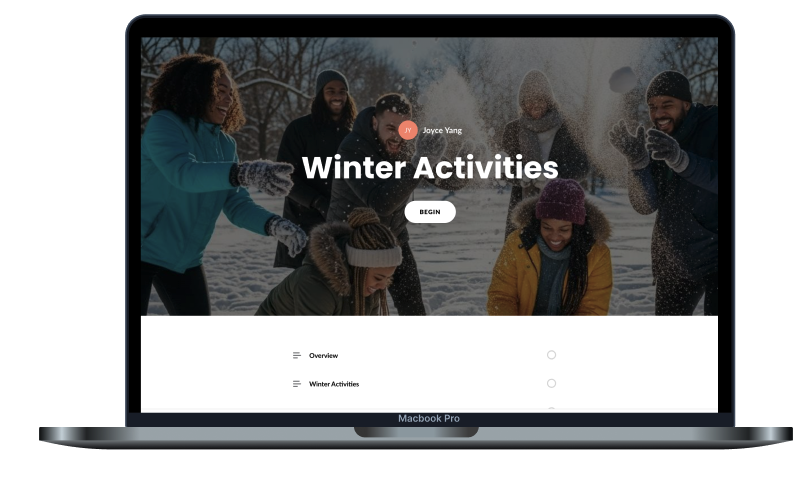
This project focuses on the development of a customized eLearning experience design within Articulate Rise 360. By integrating Mighty (a Google Chrome extension for Rise), I was able to extend the platform's native capabilities, introducing custom code, unique block types, and modified typography to create a bespoke learning environment.
Process
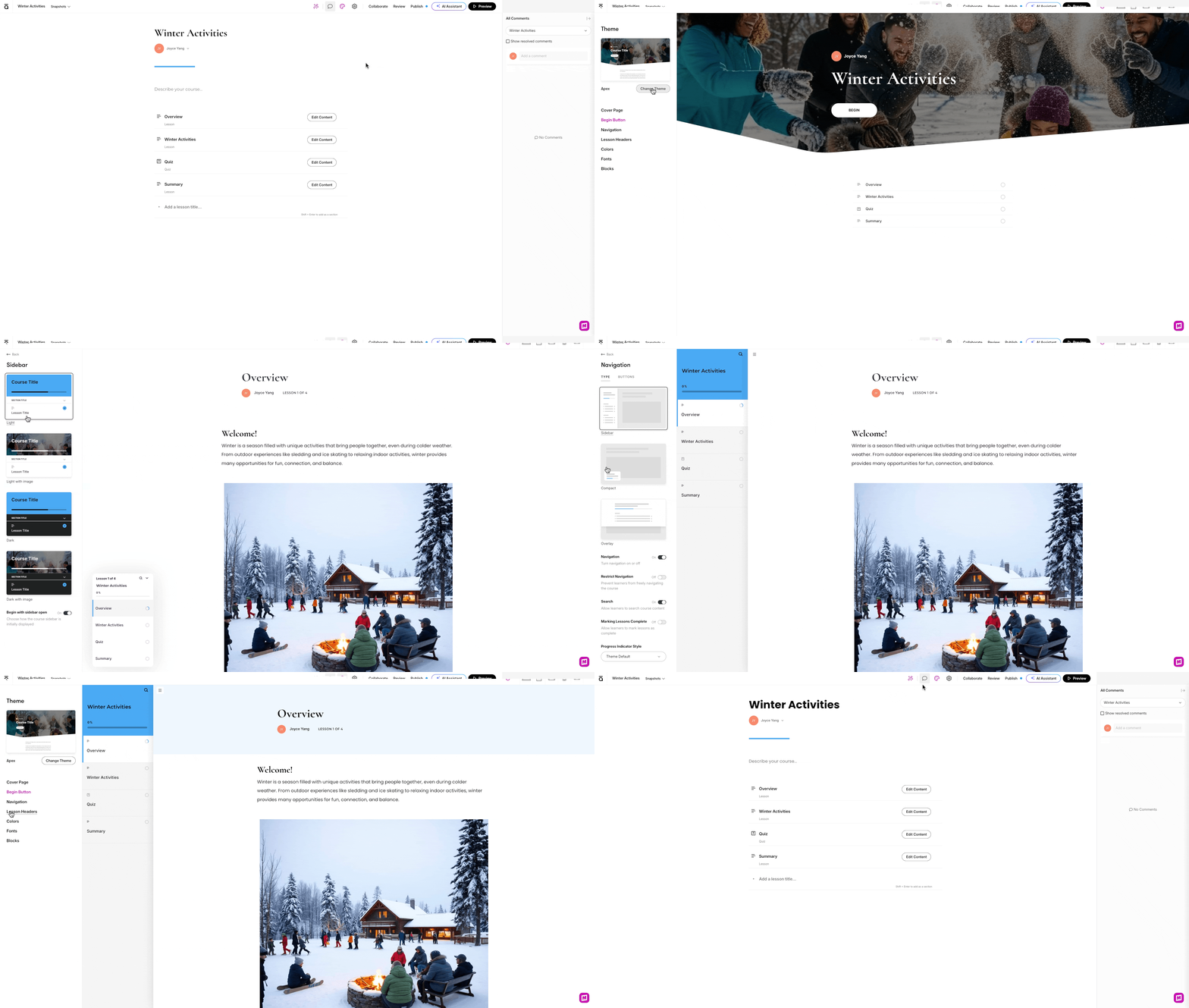
During Pre-Production, I began by drafting a script to serve as the instructional backbone. This included the text for each section: Overview, Winter Activities, Quiz, and Summary. Then I established the core theme, color scheme, navigation, fonts, and other technical settings under the Theme settings and also updated the Cover Photo, Lesson Header Colors. The mighty blocks were helpful for modifying blocks that are not standard to the native Rise enviroment.
Then I started to build out the organizational sections and individual lessons, ensuring a logical flow of information. I finalized the build by adding titles, populating lessons with text, and layering in visual assets to ensure a consistent and professional aesthetic.
Learner Interactions
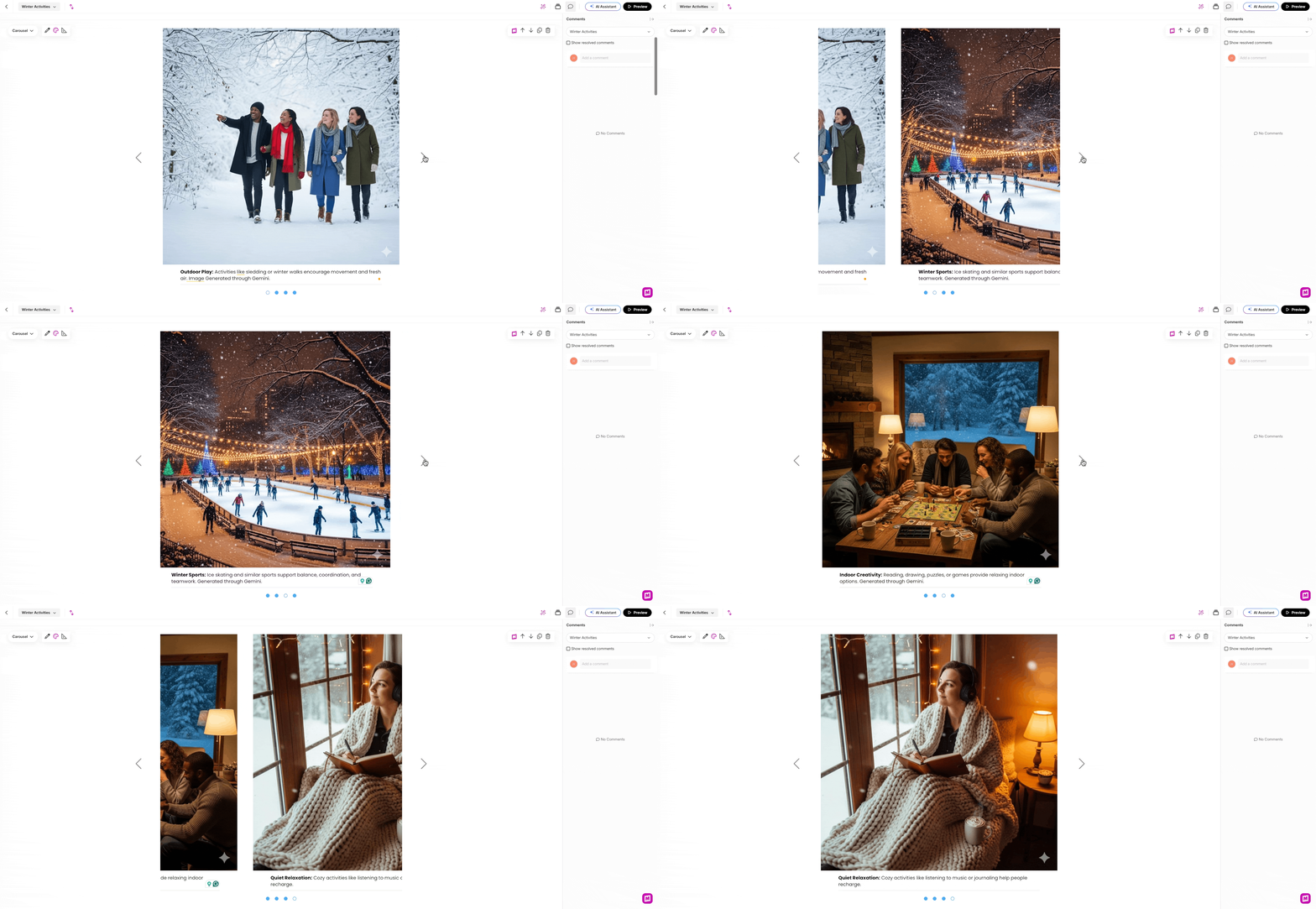
For the "Winter Activities" section, I leveraged Generative AI (Gemini) to produce a cohesive set of high-fidelity images. Through precise prompt engineering, I ensured a consistent visual style across the series, which I then added to a responsive carousel interaction to maintain high learner engagement, and incorporated descriptive text explaining each image.
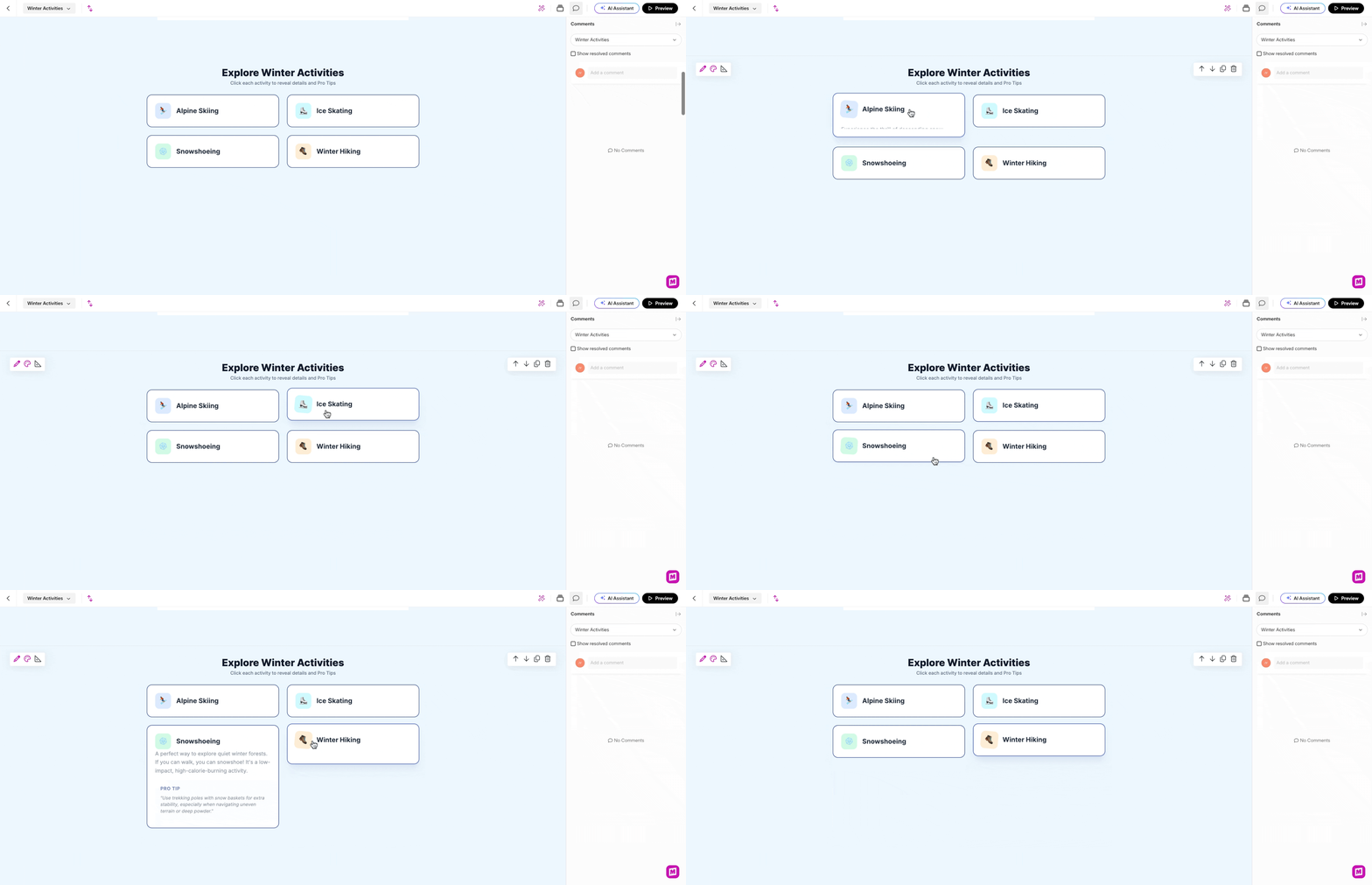
The other blocks in this section include using the Mighty Interactive HTML block to showcase more Winter Activities which I vibe coded through Gemini. Vibe Coding is where users generate applications by describing ideas to AI assistants to generate the html for the code.
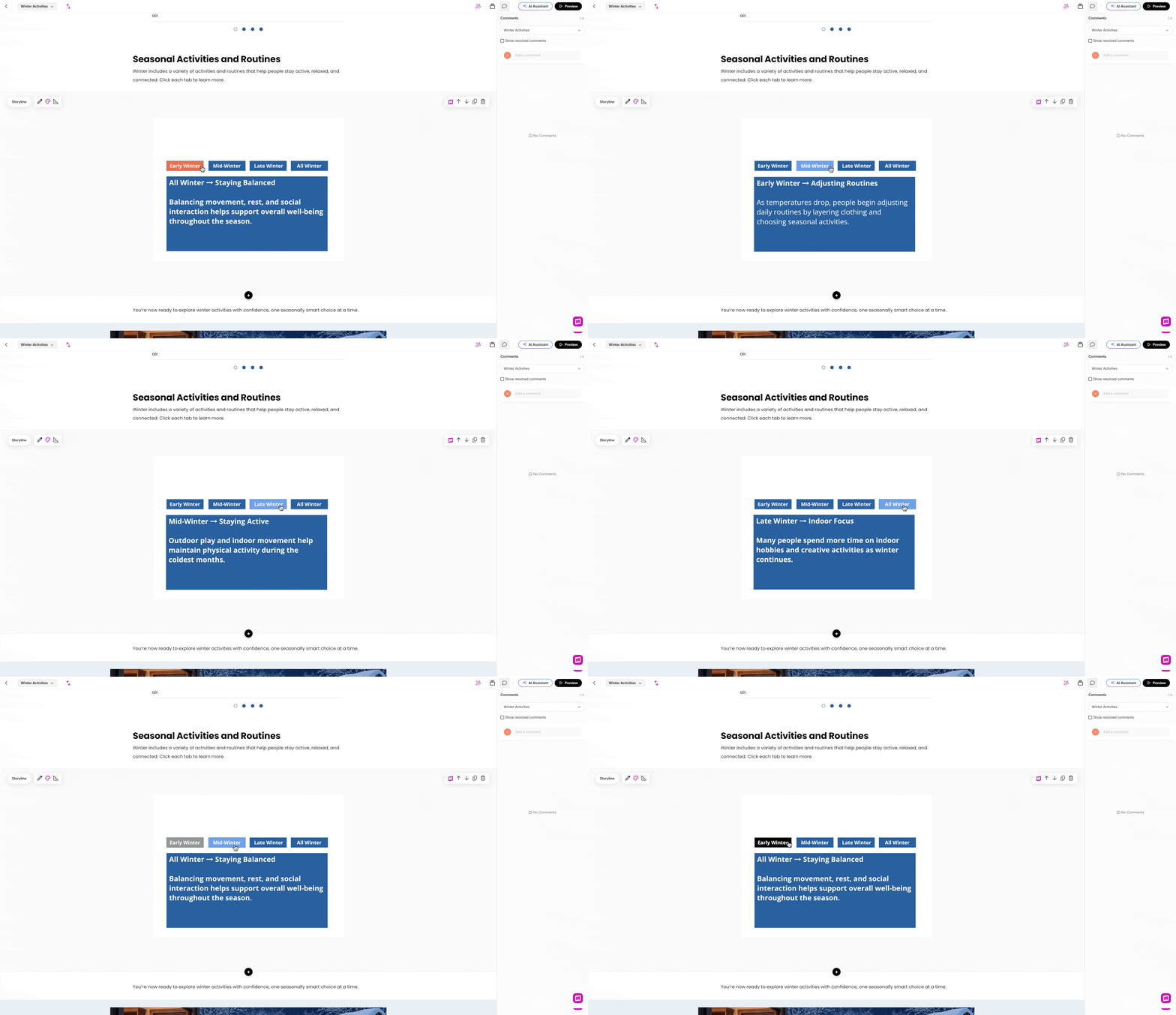
I also incorporated a custom Articulate Storyline block into Rise to create an engaging Click-to-Reveal Interaction. This was a great way to expand the typical offering of Articulate Rise.
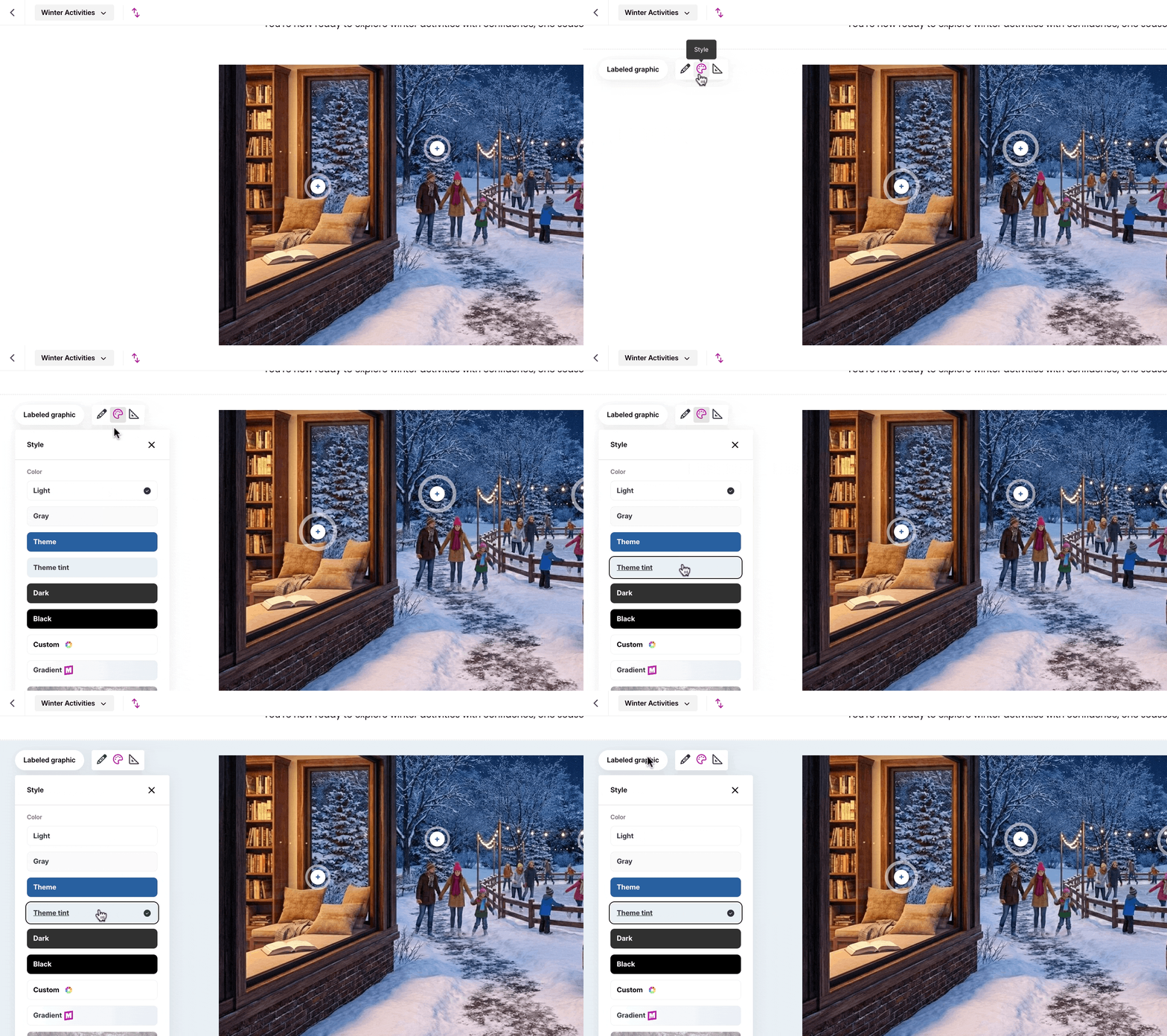
Next, I included a Labled Graphic and adjusted the color scheme with Mighty. The light blue background, along with the winter activities images, created a more cohesive wintery theme.
And findally, the learner moves through a scenario that asks them to apply to help a friend plan a winter activity based on their request
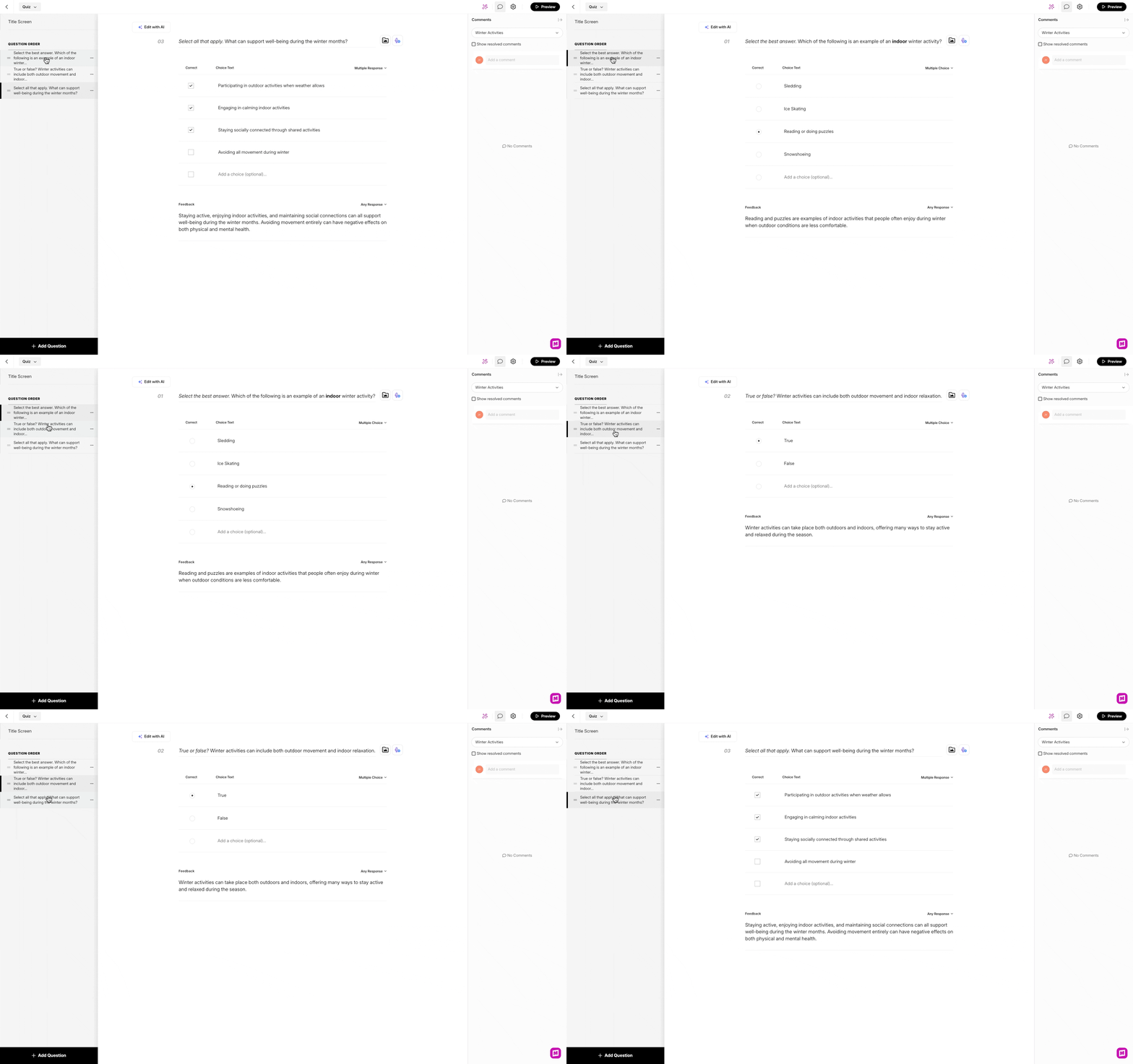
To wrap up, I included 3 assessment questionsn which the learner will have to recieve an 80% to pass the course, and then a final summary to finish off the course.
Takeaways
Creating this course was a significant learning milestone that allowed me to push the boundaries of standard authoring tools. Specifically, leveraging Mighty blocks to incorporate custom HTML and create original image blocks helped me transform a standard responsive layout into a unique, high-fidelity experience. This process was a rewarding learning journey that greatly enhanced my technical proficiency. I am eager to implement these advanced customization techniques in future Articulate Rise courses to continue delivering engaging, tailored, and innovative learning solutions.
Note: My designs are still evolving and improving I have since updated much of the lesson including the title page and theme colors.