
Web Color Accessibility
e-learning microlesson
Audience: Visual designers, including instructional designers, and UX/UI design students.
Responsibilities: Script writing, storyboarding, visual design, development
Problem Solved: There is a disconnect between WCAG accessibility guidelines and practical application—especially when using color contrast tools. Many users lack the knowledge and confidence to use these tools effectively, leading to inconsistent accessibility practices and barriers for users with visual impairments.
Timeline: Nov-Dec 2025
Tools: Articulate Storyline, WCAG
Instructional Strategies: Simulation, Question and answer Exercises, Click and Reveal, and Tab Interaction.
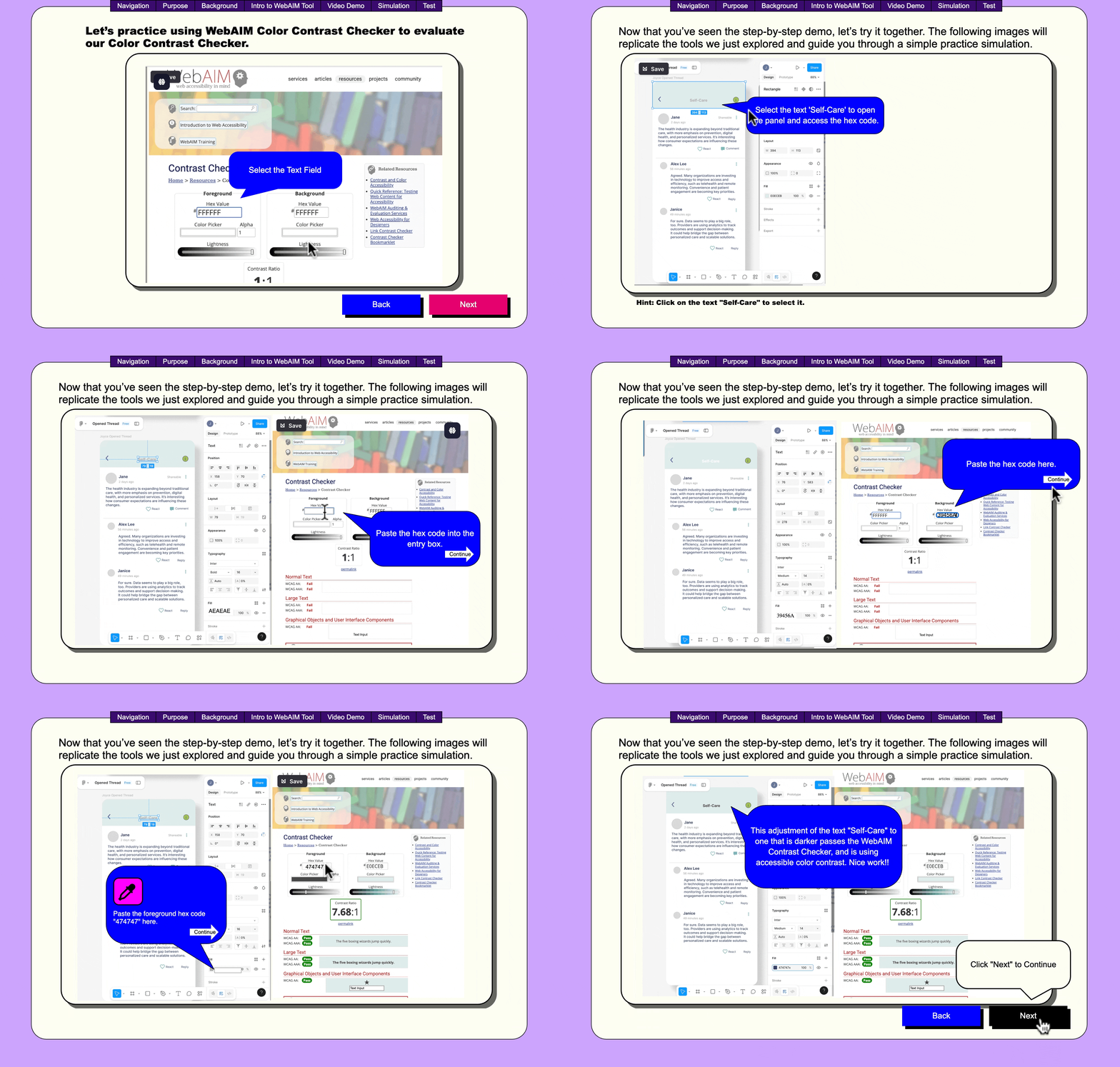
Compatibility Note: This lesson is fully compatible with all desktop browsers. For the best mobile experience, please view using Safari.
Project Overview
This course was designed to help emerging designers create inclusive digital products. Many beginner designers are unfamiliar with accessibility standards or don’t know how to apply them directly within their design workflow. By introducing WebAIM tools during the design phase, learners can identify issues early, before development, saving time, reducing barriers for users, and improving the overall quality of their deliverables.
Accessibility is an essential component of modern design, and designers often lack clear, practical guidance on applying accessibility checks to their design files. This course ensures learners build accessible habits early. Designers frequently create interfaces that unintentionally exclude users with disabilities due to low contrast, poor structure, or noncompliant design elements. WEBAIM is used by designers to help create designs for those who are visually impaired, color-blind, needing strong contrast or readable text. This training solves the problem of not knowing how to evaluate visual accessibility using reliable, industry-standard tools.
In this project, I designed a self-paced instructional module that teaches students how to use WebAIM’s tools (especially the Contrast Checker and WCAG reference guidelines) to evaluate and improve accessibility in their Figma projects.
Process
For this project, I was both the SME and designer. After identifying the problem and target audience, I created a design document that included a project overview, content overview, and storyboard, where I narrowed down and identified the 8 steps that learners must complete to successfully test a UI element for accessibility according to WebAIM and planned the content I planned to incorporate.
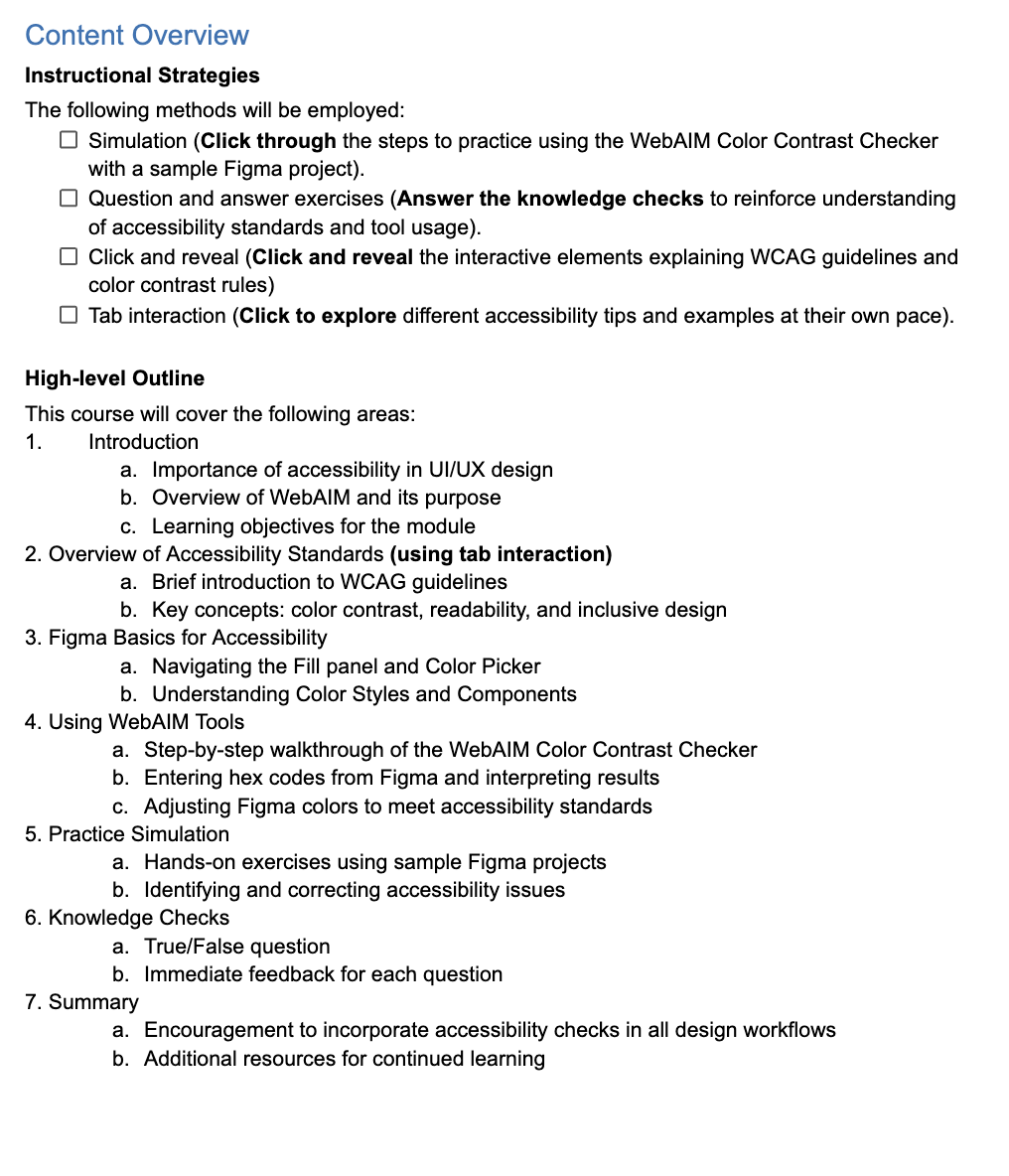
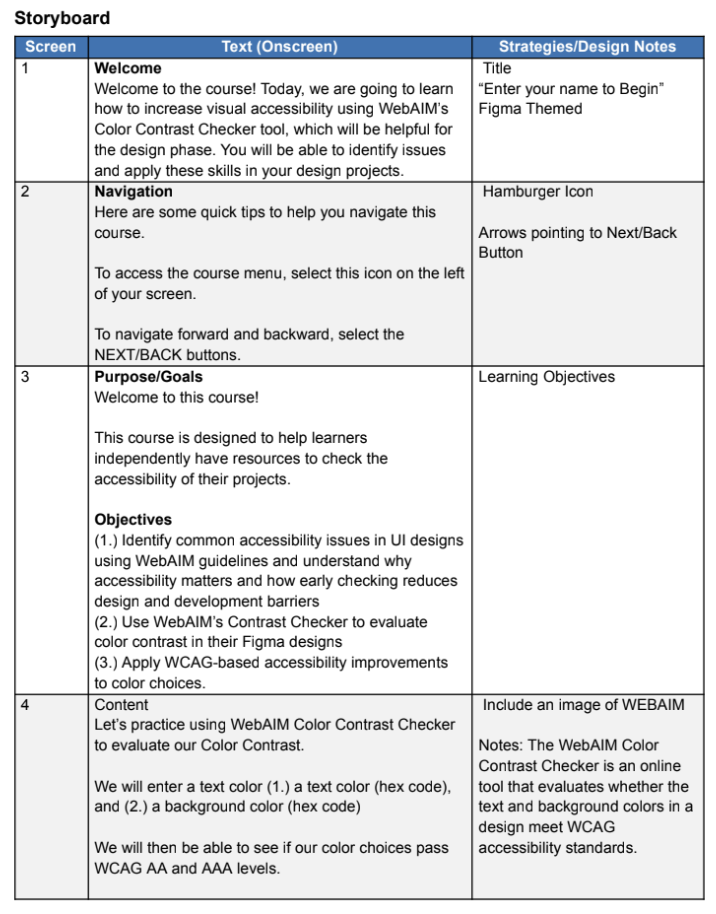
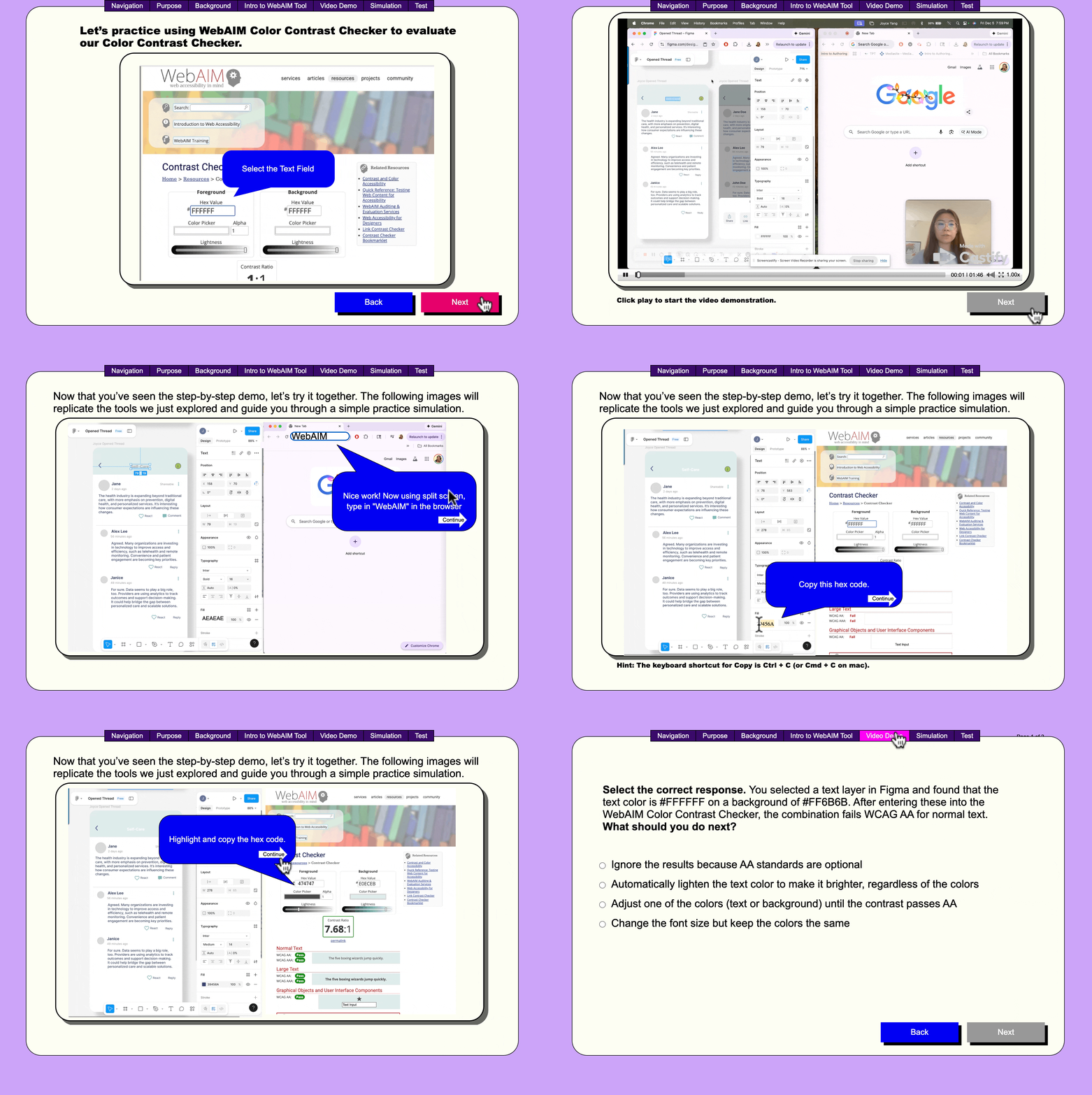
I identified that Articulate Storyline is the best development tool for this microlesson. Learners navigate through the 8 steps to check for accessibility, use WEBAIM and correctly choose colors that align with this task. For the sample project, I choose one of the UX/UI design projects I had completed to use as a sample for the simluation. You can view this project under the Weconcile Project Overview.
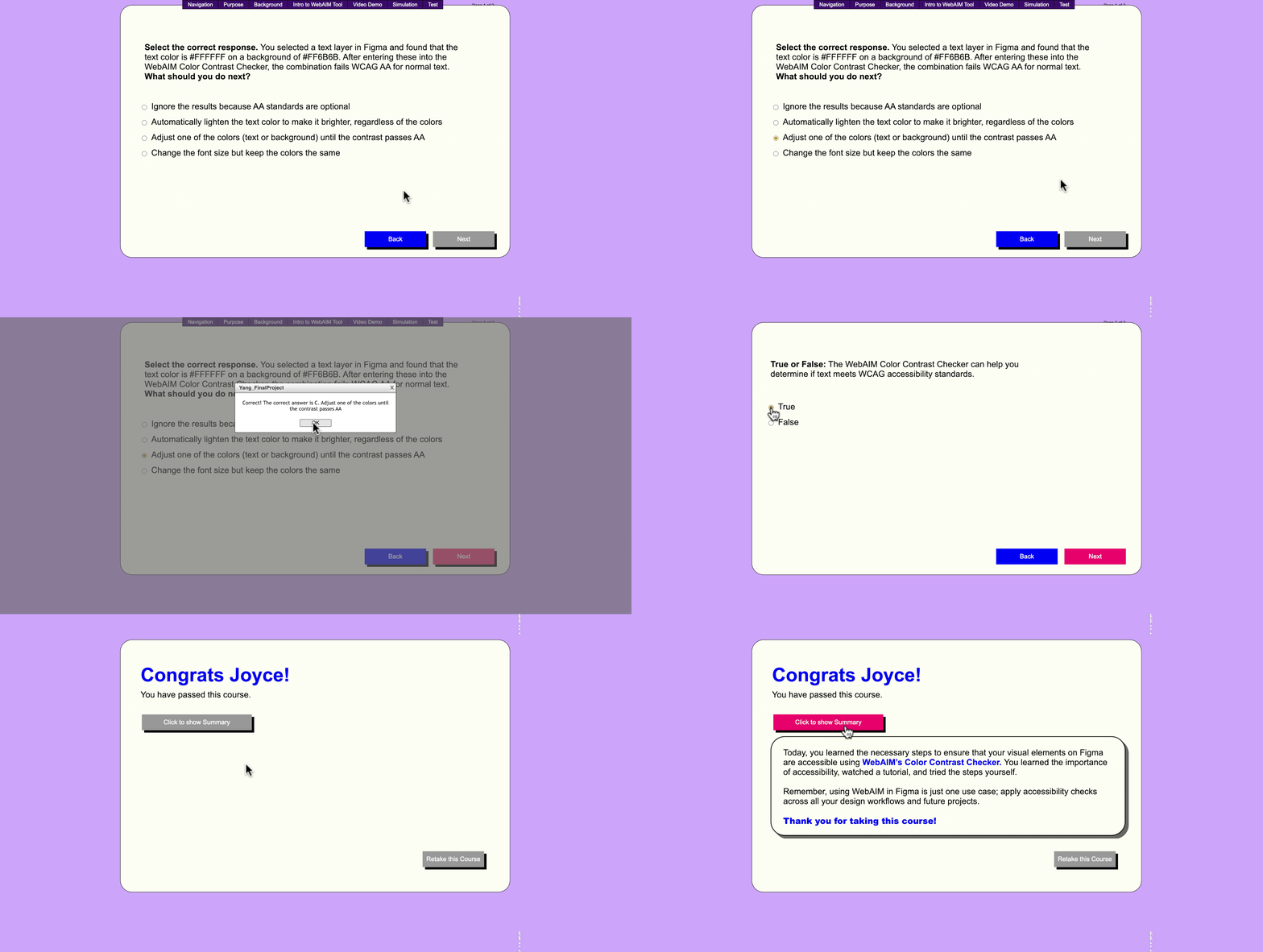
Finally, I created 2 assessment questions to test learner knowledge and provided appropriate feedback.
Results and Takeaway
This project reinforced my ability to translate my own design workflow into a structured learning experience. By teaching a tool I regularly use, WebAIM Contrast Checker, I learned how to externalize this knowledge and make it accessible to others through clear, step-by-step instructions.
I also deepened my understanding of how users interact with technical tools. Rather than focusing solely on outcomes (pass/fail contrast results), I focused on the process, helping users build confidence in interpreting and applying accessibility standards. This shift from “tool usage” to “user understanding” is something I will carry into future instructional design work.