
Accessibility Audit Adventure
Storyline
Audience: Visual designers, including instructional designers, and UX/UI design students.
Responsibilities: Script writing, storyboarding, visual design, development
Problem Solved: Understanding and Implementing Accessibility can feel overwhelming. This microlesson explains the 4 pillars of Accessiblity (Percievable, Operable, Understandable, and Robust) in a clear welcoming way using a “cozy-game” aesthetic.
Tools:Articulate Storyline, Generative AI images
Timeline:February - March 2026
Instructional Strategies: Gagne’s Nine Events of Instruction, ARCS Motivation Simulation, Click and Reveal Question, Exercises, and Click and Reveal
Overview
The Accessibility Audit Adventure is an immersive micro-learning experience designed to demystify the complexities of digital accessibility for visual designers, instructional designers, and UX/UI students. By utilizing a "cozy-game" aesthetic, the course transforms the often-intimidating Web Content Accessibility Guidelines (WCAG) into an engaging island exploration. Learners navigate through the four pillars of accessibility—Perceivable, Operable, Understandable, and Robust (POUR)—within a supportive, low-stress environment that prioritizes practical application over rote memorization.
Developed between February and March 2026, this project showcases a full-cycle design process, including scriptwriting, storyboarding, and high-fidelity development in Articulate Storyline. The instructional architecture is grounded in Gagné’s Nine Events of Instruction and the ARCS Motivation Model, ensuring that learners remain focused and confident as they complete interactive "Click and Reveal" exercises and simulations. By integrating Generative AI for bespoke visual assets, the course demonstrates how modern technology and narrative-driven design can be leveraged to build a more inclusive digital world.
Process
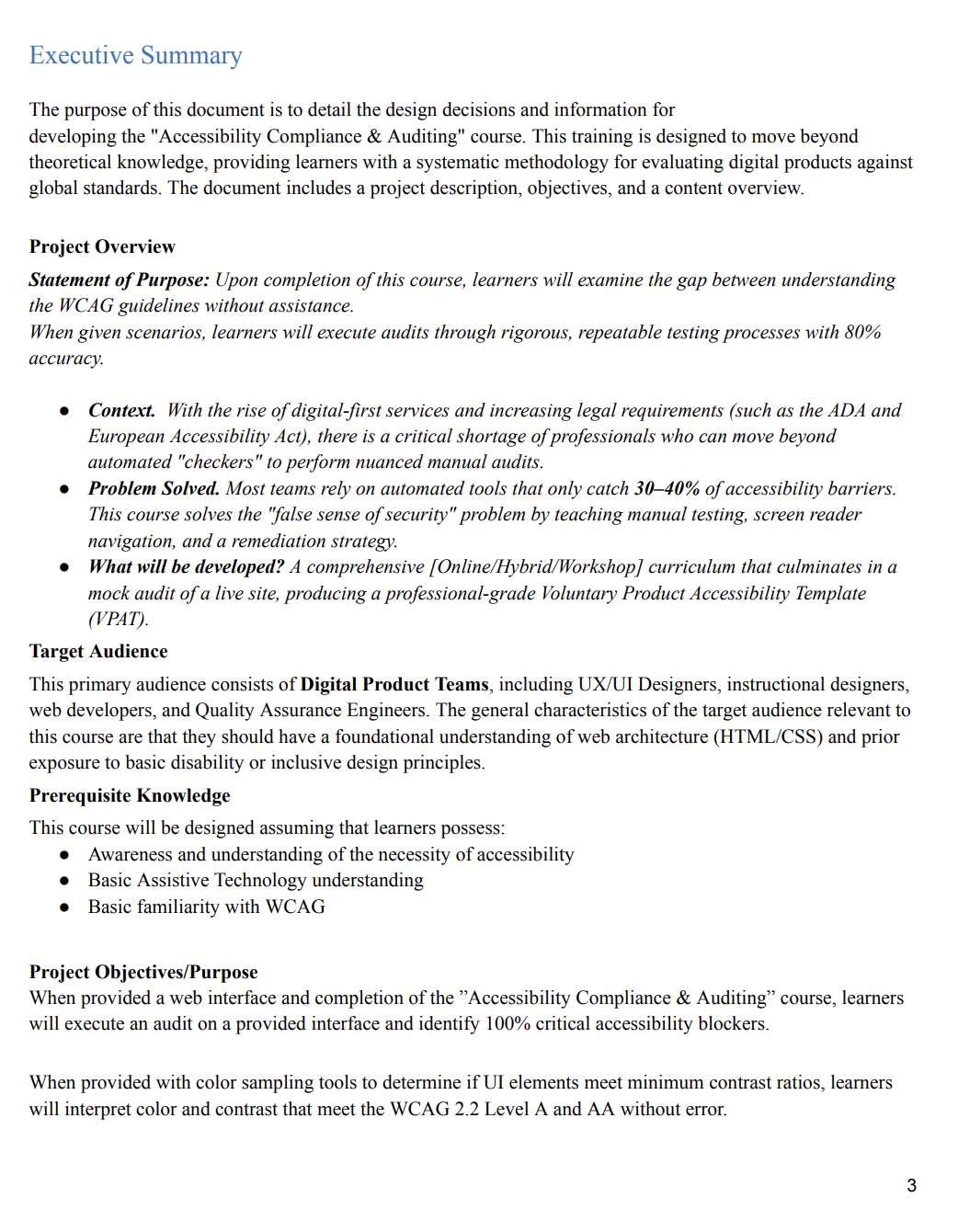
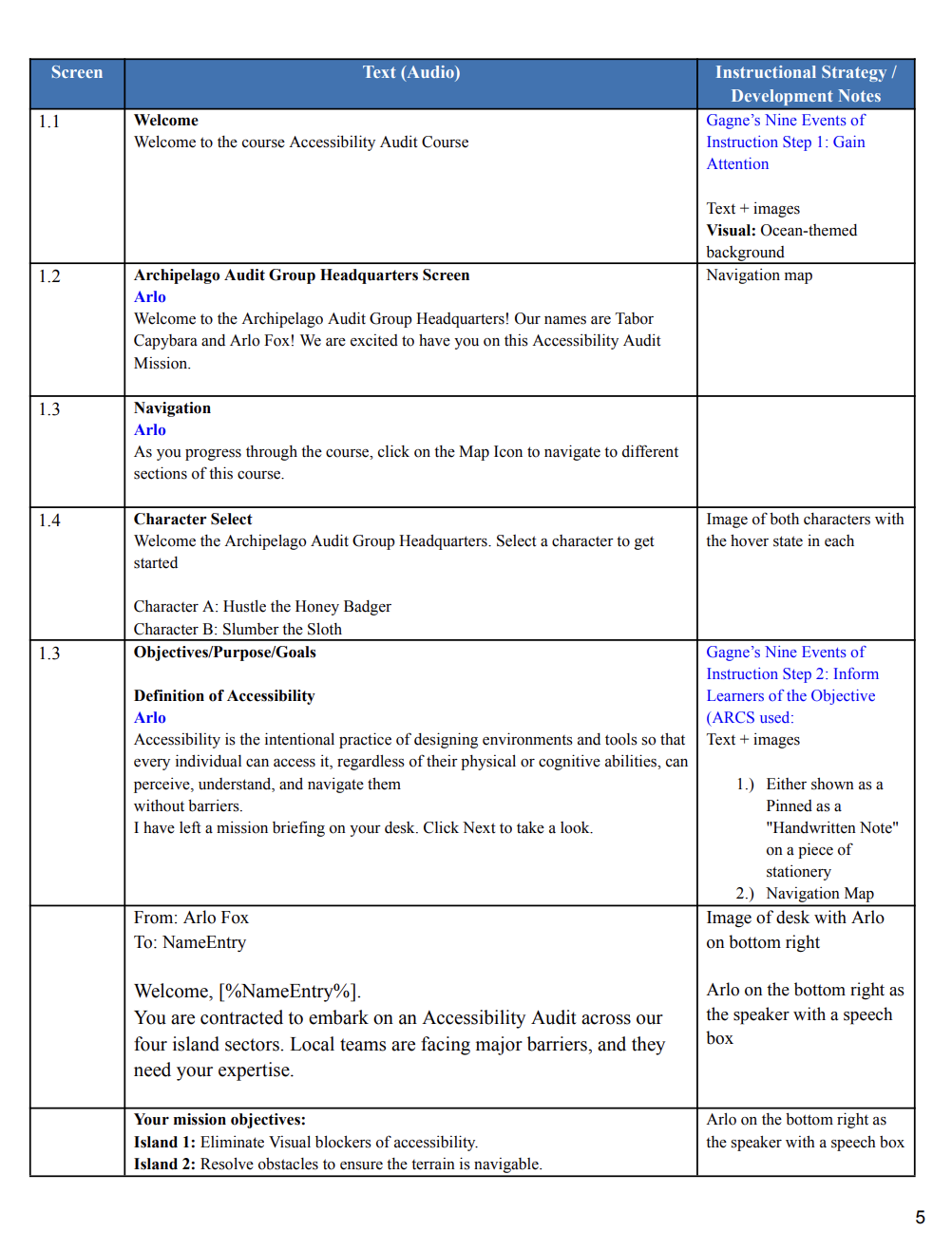
In the Analysis phase, I developed a design document that included an executive summary, target audience analysis, and the instructional strategies I planned to use. Then, I drafted a storyboard to outline each slide’s content, including the Welcome Page, Navigation, Objectives, Terminology, Island Scenarios, Quiz Questions, Feedback, and Conclusion.
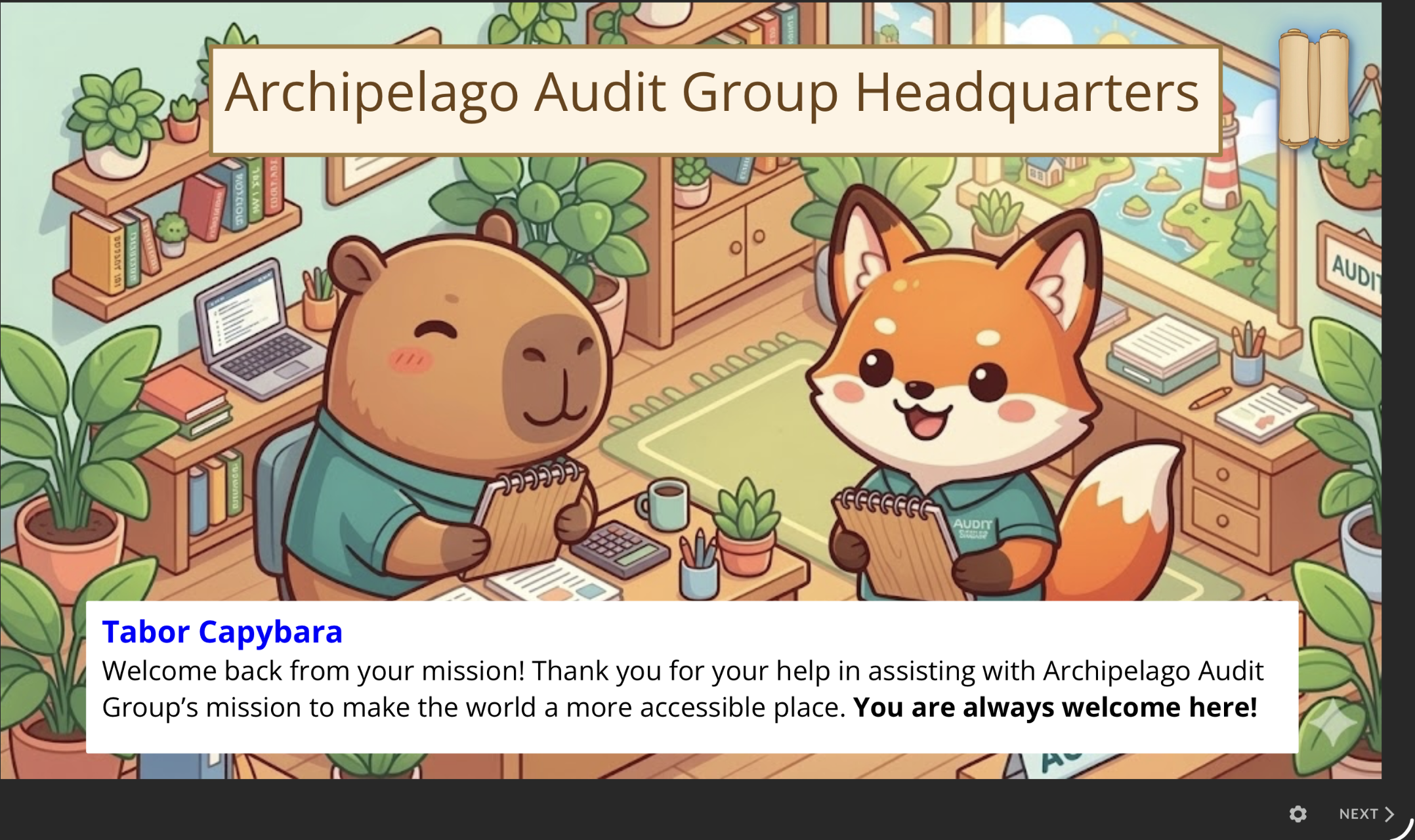
After the planning phase, I entered the Design phase where I established the visual aesthetic. I envisioned a "cozy game" look, which influenced every design choice. I then began populating my Articulate Storyline slides, generating custom images with Generative AI, and building out the click-to-reveals, quizzes, and other interactive elements. During this phase, I also developed the dialogue and characters, introducing Tabor Capybara and Arlo Fox as the Archipelago Audit Group managers, and Hustle the Honey Badger and Slumber the Sloth for the character selection screen. I used Canva’s background remover to maintain image quality while isolating my characters; I found that traditional background removers often decreased image dimensions, causing them to look pixelated. Finally, I added my alternative text for the images to increase accessibility.
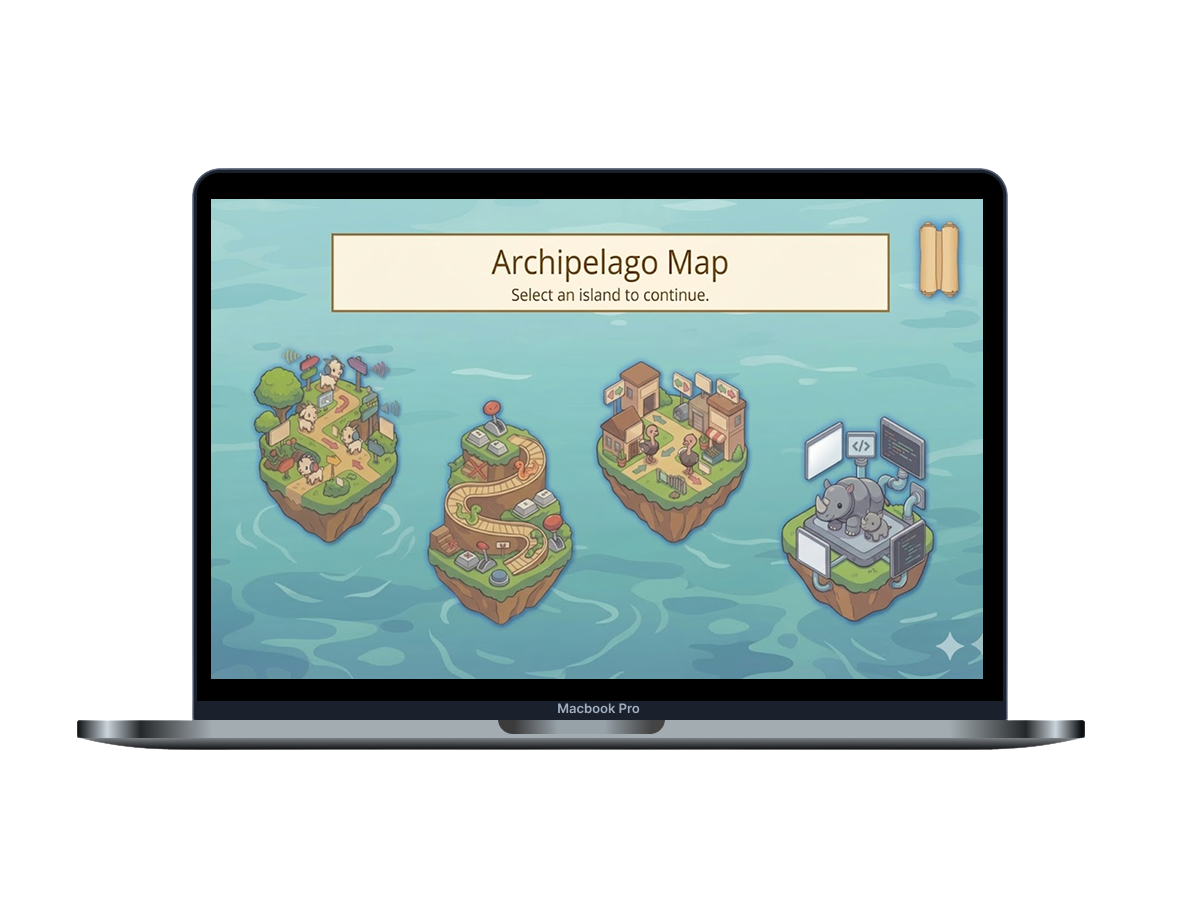
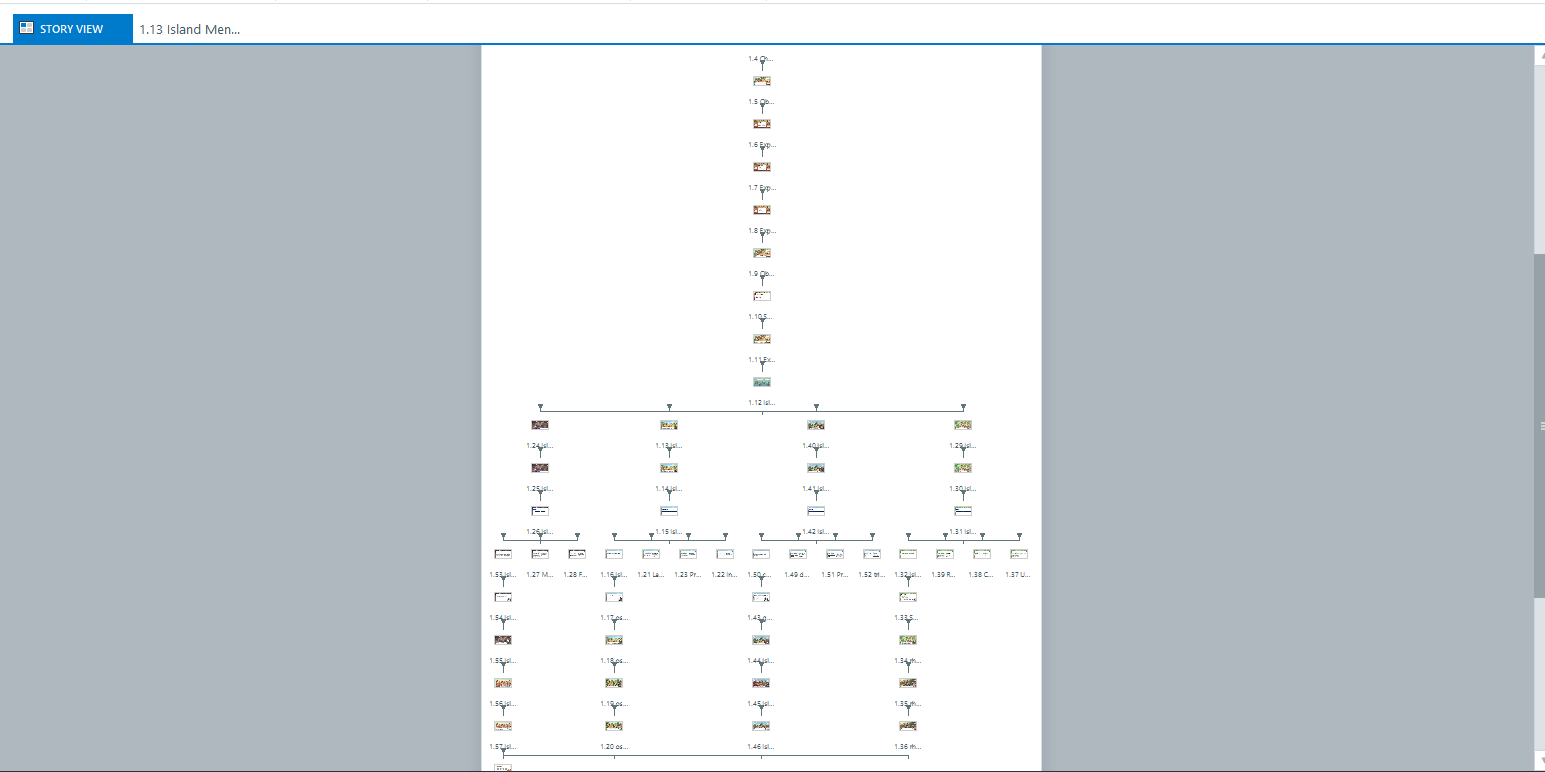
The Development phase is where I spent time fleshing out each slide for this learning experience. I created 4 branches that learners could travel to.
Island One (Perceivable): Focuses on the principle that information must be able to be seen or heard. The learner proposes that clear, icon-based signage will help the goats (who are red-green colorblind) distinguish between safe and poisonous foods.
Island Two (Operable): Focuses on ensuring interfaces are navigable. The snakes on this island only have stairs, which are inaccessible due to their lack of legs. Learners must propose that universal ramps be added to help with mobility for all.
Island Three (Understandable): Represents the need for content to be easy to follow. Learners are faced with ostriches that cannot find their way to snacks because of obscure and confusing signage. Learners propose that using simple language and predictable signposts will help these islanders.
Island Four (Robust): Focuses on technology being adaptable. Learners encounter rhinos that need an accessible solution for rollercoaster ride boxes to accommodate all sizes. The learners propose an adjustable ride box using different seatbelt lengths as a solution for adaptable design.
Storyline Features Implemented
I used custom variables for the Character Selection, Stars (points) collected, Visited Islands, and Visited Terminology. These were all used to motivate the learners and encourage Attention (ARCS model). I used triggers and actions to build the custom logic and "flow" of the course, ensuring that user inputs (like choosing a character or completing an island) resulted in the intended navigational outcome. I also had layered interactions for my click-to-reveal terminology to manage cognitive load on each of the 4 islands. I also have a point system that learners collect when they successfully complete tasks, which encourages confidence (ARCS model). The stars also act as positive outcomes (satisfaction), and the feedback for incorrect answers acts as a “avoid negative influences (ARCS model). The variability element between the islands and scenarios the learner faces also encourages Attention (ARCS model). Gamification is also seen in the character selection screen and interactive dialogue using narrative-driven instruction and feedback. I also have state changes when learners select the map and various buttons. Finally, I used media and visual design and uploaded my images as a background to make the experience more immersive.
Design Style
While designing the entire experience, I had Gagne’s Nine Events in my mind. I mades sure I had elements from each of the steps including: Gain Attention (welcome and introduction slides), Inform Learners of the Objective (mission objectives), Stimulate Recall Prior to Learning (ungraded question), Present the Content (islands), Provide Guidance (dialogue), Elicit performance (quizes in each of the 4 islands), Provide Feedback (incorrect/correct feedback given after each quiz question), Asses Performance (quizes), and Enhance the Transfer (“Great work!” memo after the click and reveal and the welcome back to the headquarters page encouraging application of knowledge making the world a more accessible place).
During the planning phase, I visualized an illustrated "cozy game" aesthetic to make the learner feel as if they were playing a relaxing game rather than completing a traditional course. Specifically, the style is defined by Chibi aesthetics, clean vector linework, flat-isometric views with soft cell shading, and storybook-inspired backgrounds. Inspired by contemporary cozy games like Nintendo’s Animal Crossing, I wanted to leverage the relaxing theme I’ve always enjoyed. Since this assignment included a point system (stars), it was the perfect opportunity to implement gamification and keep the learner engaged in the island adventure.
For the design layout, I used Articulate’s Next/Back buttons, but also disabled them for various slides so that the only button options were to select the “X” out icon or terminology buttons, which enforces the learner to not move on until they have selected that button or viewed that content.
The navigation only includes areas that would not be affected by the variables I used. Learners can only travel to the Mission page (right after character selection, they would not be able to jump back and change their character halfway through the lesson), island map page (learners can travel between the islands, but cannot travel halfway through some of the slides, including the click-and-reveal, quiz flows), and the Awards page, which helped with maintaining the continuity and cohesiveness of the story.
Challenges Encountered
Because my images and characters were AI-generated, the biggest challenge was using the exact right language to generate my vision. Sometimes the images didn't come out right on the first few tries, and it took several iterations of changing my prompts to ensure the AI produced a cohesive style.
For my navigation icon, a rolled-up map, I found a base image and used Gemini to transform it into the cozy-game aesthetic used in the rest of the course. I also manually photoshopped a few details to get the image exactly where I wanted it. For the "selected" state of the map, I found a similar asset and requested the AI to convert it into the same illustrated style to ensure it aligned perfectly with the rest of my course.
Takeaways
This project was a true labor of love and one that I am incredibly proud of. I thoroughly enjoyed bringing my vision to life, and along the way, I learned so much, not just about the instructional design process, but also increased my knowledge, had more practice with using Articulate Storyline, and learned how to strategically prompt Generative AI to produce a cohesive visual style. Most importantly, it deepened my commitment to accessibility. If I were to change things in the future or if I had more time and resources, I would have added different voice-overs for my characters to help bring them more to life.